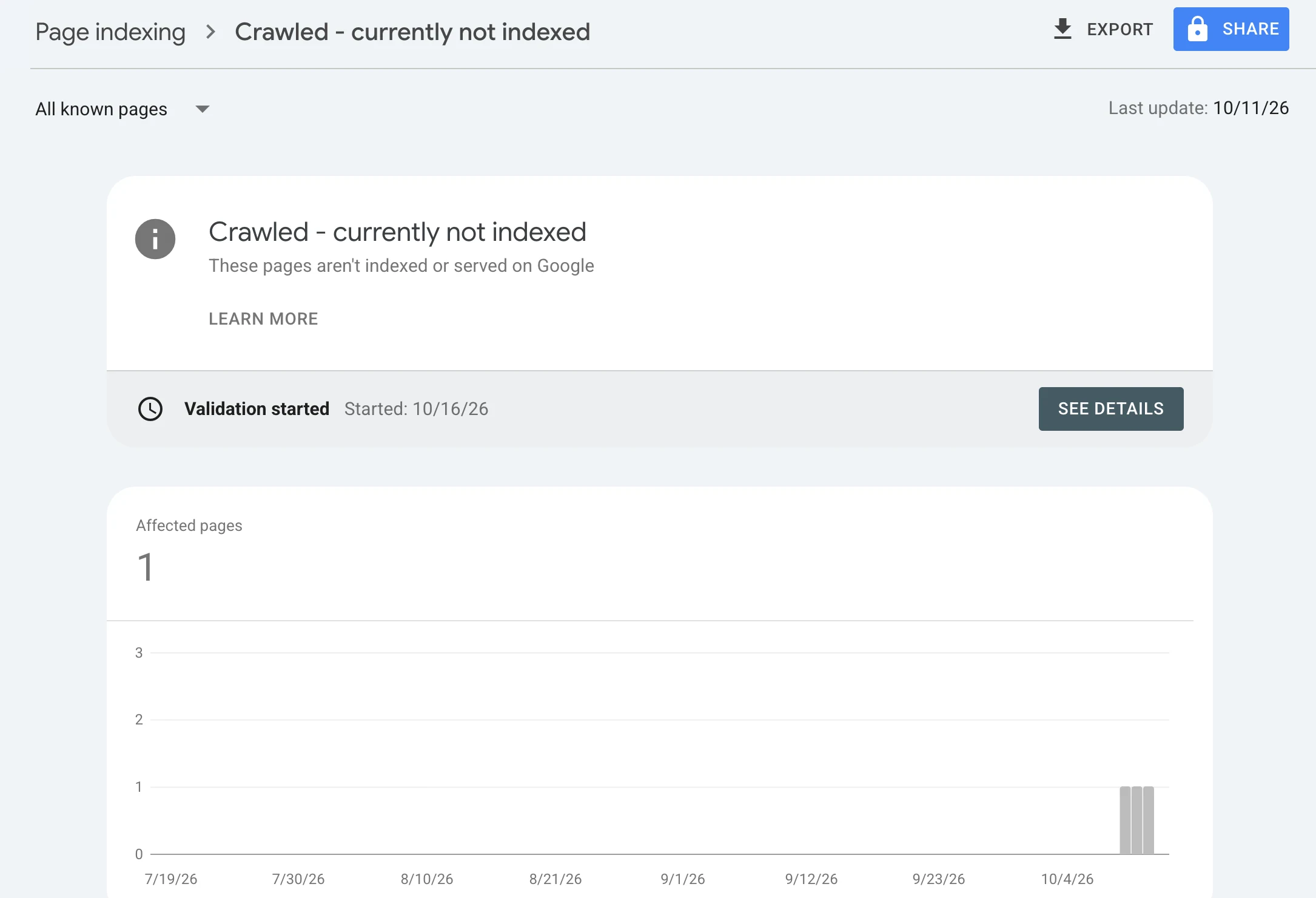
Crawled – Currently Not Indexed: What I Checked Before Changing Anything
One of the easiest mistakes to make in Technical SEO is assuming that every warning in Google Search Console requires an immediate fix. I recently had a page on my own website appear under: Crawled – currently not indexed Google had already visited the page. It simply had not included it in the index. At first glance, that sounds like something must be broken. But that is not necessarily what the status means. Instead of immediately changing the page, sitemap, robots.txt, or canonical configuration, I decided to work through the evidence first. The page in this case was an Arabic SEO audit service page on my website.
What “Crawled – currently not indexed” actually means
There are two different stages that are easy to confuse. Discovered – currently not indexed means Google knows the URL exists but may not have crawled it yet. Crawled – currently not indexed means Googlebot has already fetched the page, but Google has not currently chosen to include it in the index. That distinction matters. If Google successfully crawled the page, the problem is no longer simply: “Can Google find this URL?” The question becomes: “After crawling the page, why has Google not indexed it yet?” And sometimes the answer is not a technical error at all.
I started with URL Inspection
The first thing I checked was the page directly in Google Search Console rather than making assumptions from the indexing report. For the URL, Search Console showed: Crawl allowed: Yes Page fetch: Successful Indexing allowed: Yes That immediately ruled out several common technical problems. Googlebot was not being blocked by robots.txt. The server was successfully returning the page. There was no noindex directive preventing indexing. That meant I had no reason to start editing robots.txt or changing indexing directives.
Then I checked the canonical
Canonical problems are another place where people can make unnecessary changes. If Google believes another URL is the better canonical version of a page, the inspected URL may not appear independently in the index. In my case, the page declared itself as canonical. Search Console showed the user-declared canonical as the same URL I was inspecting. Later, Google also selected the inspected URL itself as the canonical. That was an important signal. There was no evidence that Google was consolidating the page into a different URL. Again, there was nothing to “fix” there.
I checked the sitemap too
The page was also discoverable through the site structure and sitemap. At one point Search Console displayed: Sitemaps → Temporary processing error It would have been easy to interpret that as the cause of the indexing issue. But the sitemap itself loaded correctly. That distinction is important. A temporary Search Console processing message does not automatically mean your XML sitemap is broken. Before rebuilding a sitemap, I would check the actual file directly. In my case, the sitemap was accessible. So I left it alone. This is a pattern I keep coming back to in Technical SEO: Verify the underlying system before reacting to the label in the interface.
I did not start changing everything
This was probably the most important part of the process. When a page is not indexed, there is a temptation to start touching everything: rewrite the content, change the title, rebuild the sitemap, edit robots.txt, change the canonical, request indexing repeatedly, add more internal links, or even change the URL. Doing all of those things at once creates another problem. If the page later becomes indexed, you no longer know what actually mattered. Instead, I wanted to answer the technical questions first. The page was crawlable. The page could be fetched. Indexing was allowed. The canonical was correct. The sitemap was accessible. At that point, there was no obvious technical failure that justified random changes.
And then the page entered Google’s index
Later, I inspected the same URL again. This time Search Console showed: URL is on Google The page was indexed. The crawl details still showed a successful fetch, indexing allowed, and the expected canonical. That result reinforced something that is easy to forget: Crawled – currently not indexed does not always mean you have a broken page. Sometimes Google has crawled the URL and simply has not yet decided to index it. That decision can change.
What I would check when this happens
If I see Crawled – currently not indexed again, I would work through the issue in roughly this order:
Can Google fetch the page successfully?
Is crawling allowed?
Is indexing allowed?
Does the page return the expected HTTP response?
Is the canonical correct?
Did Google select a different canonical?
Is the URL included in a valid sitemap?
Can Google discover the page through internal links?
Is the content meaningfully different from other pages?
Is the page actually valuable enough to deserve its own indexed URL?
Only after those checks would I start deciding whether the page itself needs to change.
When content may actually be the problem
A technically perfect page is not automatically an index-worthy page. Google still has to decide whether the URL is useful enough to keep in its searchable index. That means a page can be: crawlable, indexable, canonicalized correctly, present in the sitemap, and still remain unindexed. At that point I would look beyond technical accessibility. Is the page substantially different from other pages? Does it answer a clear search intent? Is there enough useful information on it? Does the rest of the website treat it as an important page? Are internal links pointing to it from relevant pages? Those are very different questions from simply asking whether Googlebot can access the URL.
Validation is not a command to Google
I also used Search Console’s validation and indexing tools during the process. It is important to understand what those tools do not mean. Clicking Validate Fix does not force Google to index a page. Clicking Request Indexing does not guarantee indexing either. They help Google revisit or reevaluate the URL. The final indexing decision still belongs to Google. Repeatedly submitting the same page is therefore not a substitute for diagnosing the page.
The bigger lesson
This case reminded me why Technical SEO should be evidence-driven. Search Console gives us labels. Our job is to understand what sits underneath those labels. When I saw Crawled – currently not indexed, the useful question was not: “What can I change?” It was: “What evidence do I have that something is actually wrong?” In this case, the crawl was successful. Indexing was allowed. The canonical was correct. The sitemap worked. And the page eventually entered the index. Sometimes the right Technical SEO decision is a fix. Sometimes it is better internal linking or stronger content. And sometimes the right decision is simply: do not break something that is already working.
I’m documenting these Technical SEO cases as I encounter them while working on my own projects. If you are dealing with crawling, indexing, canonicalization, or Search Console issues and want a second set of eyes, you can explore my Technical SEO work or get in touch through the site.